
I have a self-hosted chirpstak (4.6.0). When I log in and go to the dashboard of a gateway, I can see these kind of stats
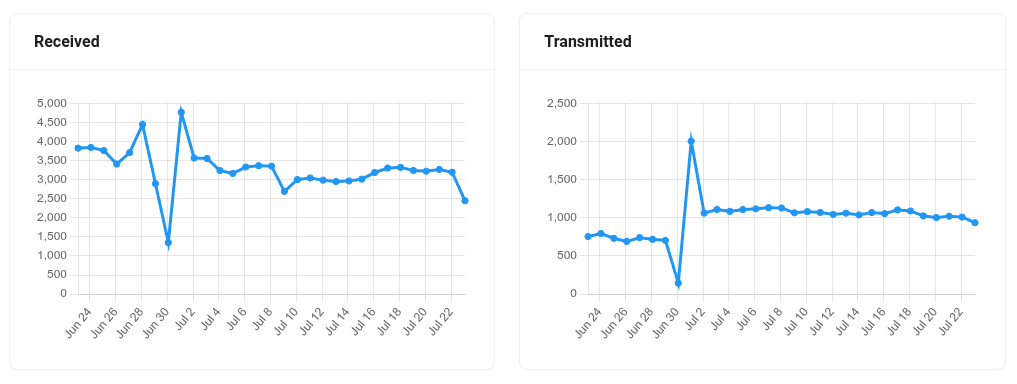
I'd like to intergrate those values in my platform, but I don't know which is the best/recommended way to do so.
I see on my MQTT broker messages with stats for the gateway, using topics like
- eu868/gateway/fcc23dfffe2ead35/state/conn
- eu868/gateway/fcc23dfffe2ead35/event/stats
- eu868/gateway/fcc23dfffe2ead35/event/up
which seems exactly what I want, but the payloads are binary data (protobuf).
I tried downloading the protobuf specs from https://github.com/brocaar/chirpstack-api/tree/master/protobuf and to compile them myself, but I was not able to get a proper python script that decodes the MQTT messages, I had a lot of exceptions becuase modules were missing.
Then I realized the python packages has already a compiled version, so I installed it and tried to use that instead:
from chirpstack_api.gw.gw_pb2 import GatewayStats

GatewayStats.ParseFromString(bin_payload)
where bin_payload is the body of the MQTT message of event/stats topics. But it also raises this exception
TypeError: descriptor 'ParseFromString' for 'google._upb._message.Message' objects doesn't apply to a 'bytes' object
So, how can I use the MQTT messages in order to extract:
- number of received packages
- number or sent packages
- current status (online, offline) etc
Thanks