Hello,
I have a number of Milesight UG65 gateways, each originally using their own embedded network server. Recently, one of the master gateways for an application failed, so I decided to migrate everything to the cloud using ChirpStack v4 in Docker. I am currently performing tests before doing the full migration in a couple of weeks.
Because I have applications with nearly 150 flow meters deployed in the field, I want to avoid forcing all devices to rejoin the network (which would require physically resetting each flow meter).
So, I exported the SQL databases from the UG65 LoRaWAN NS, and also extracted the Redis .bin device-session files. Using this data, I recreated all applications, device profiles and devices in ChirpStack v4 through the API — including their activations. Since the Milesight NS is based on ChirpStack v3, the migration is not straightforward.
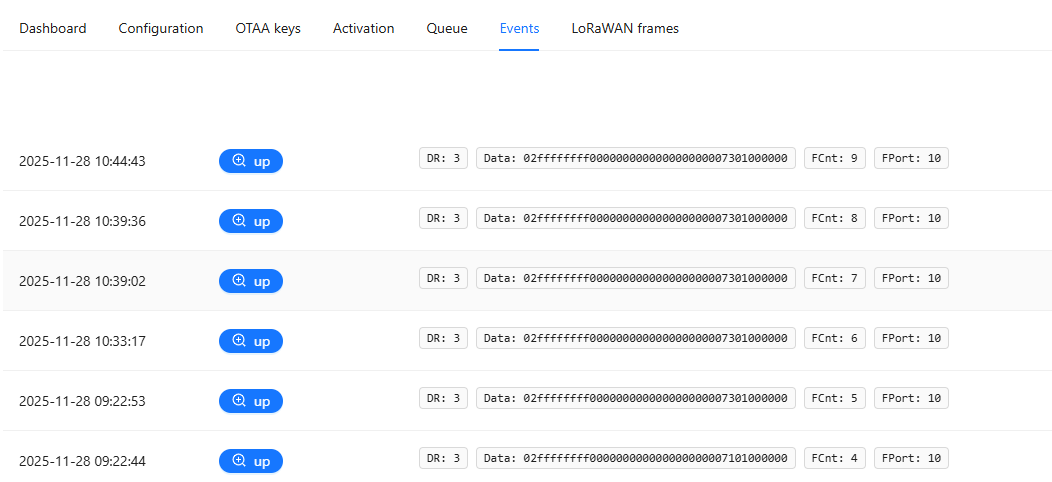
Uplinks work fine with my test devices — I receive all packets normally.
However, downlinks are the issue.
In ChirpStack → Device → Events, I consistently see:
DOWNLINK_GATEWAY: TOO_LATE
I also tried forcing a rejoin (because the original join was performed on the UG65 embedded NS). After the rejoin, I briefly saw correct ACKs as downlinks, and the device did receive downlinks from the queue — but only immediately after the join.
While searching the forum, I found this post:
https://forum.chirpstack.io/t/ack-not-being-seen-by-milesight-ug67-gateway/23678
which mentions that the “ChirpStack v4” option in Milesight gateways is outdated. Based on that, I tried Semtech UDP, but I saw the same issue. I also increased the rx1_delay, as commonly suggested, but it didn’t solve the problem.
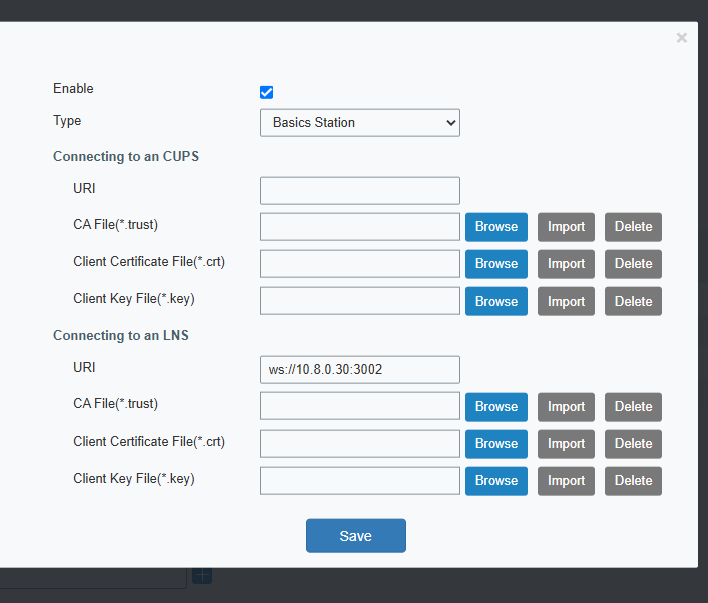
Finally, I tried Basic Station, since I prefer not using UDP. With Basic Station, uplinks are received correctly, but no downlinks appear on the gateway, and in the gateway-bridge logs I see:
send downlink frame error:
downlink frame from proto error: get data-rate index error:
lorawan/band: data-rate not found
What could be happening?
I am using the chirpstack-gateway-bridge-basicstation-us915_0.toml file from the GitHub repository.
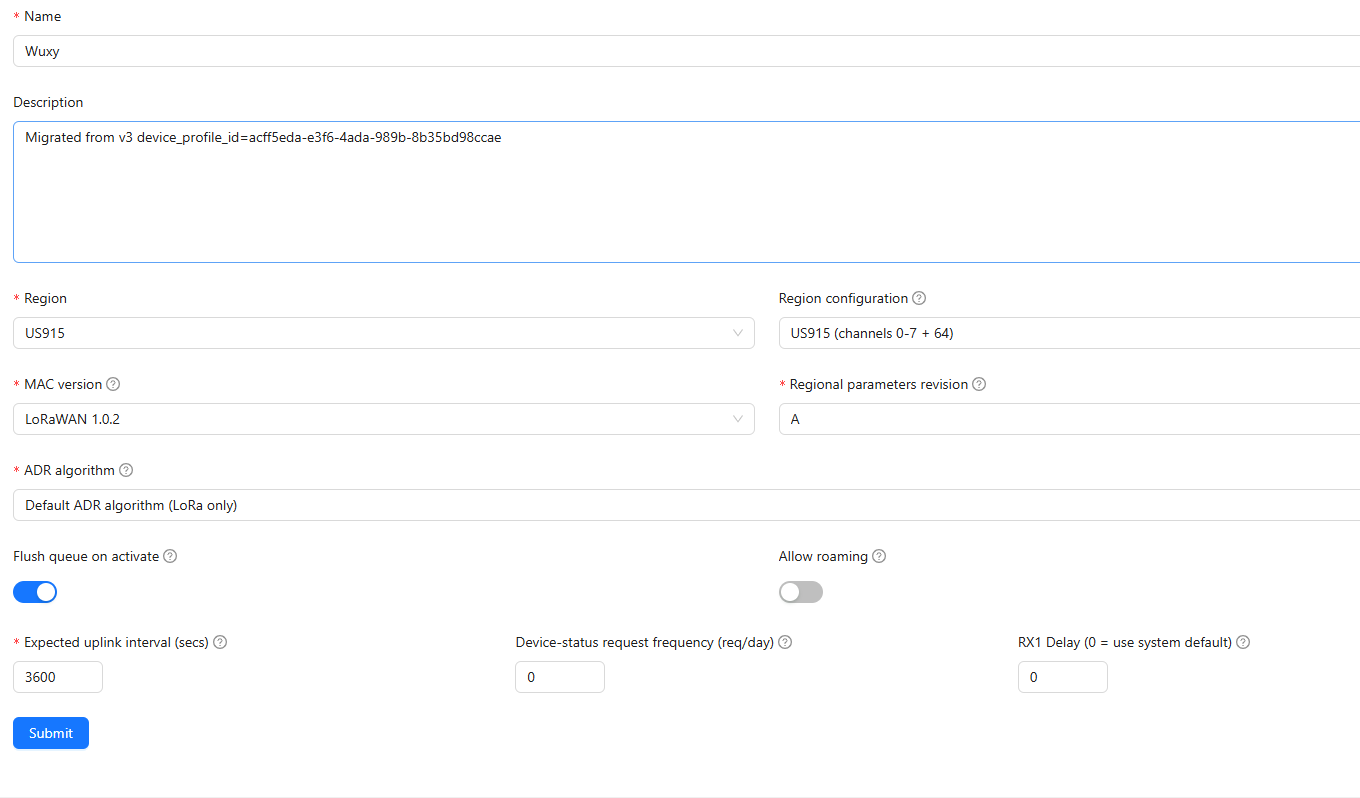
My device profile is configured for US915, channels 0–7 + 64.
In ChirpStack, the gateway also appears correctly under Region ID = us915_0.
I tried this migration with both OTAA and ABP devices.
I am attaching some screenshots.
Any guidance would be greatly appreciated.
Thanks!