IWM-LR5 Device not sending any info

Viewed 146

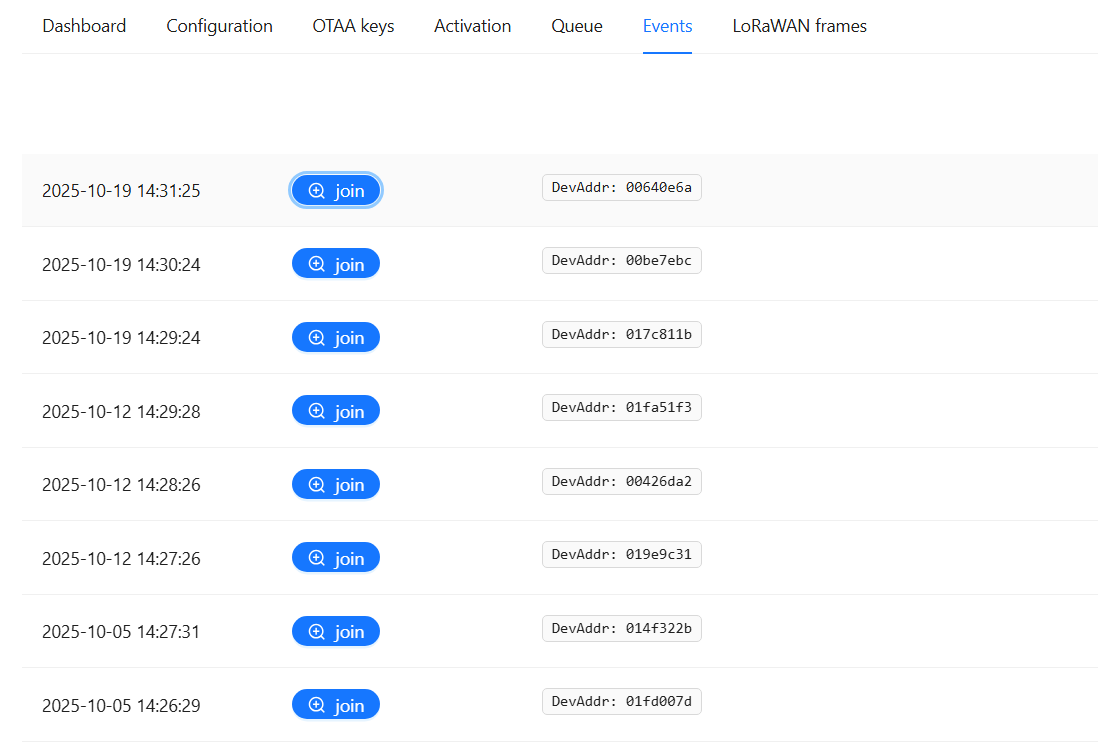
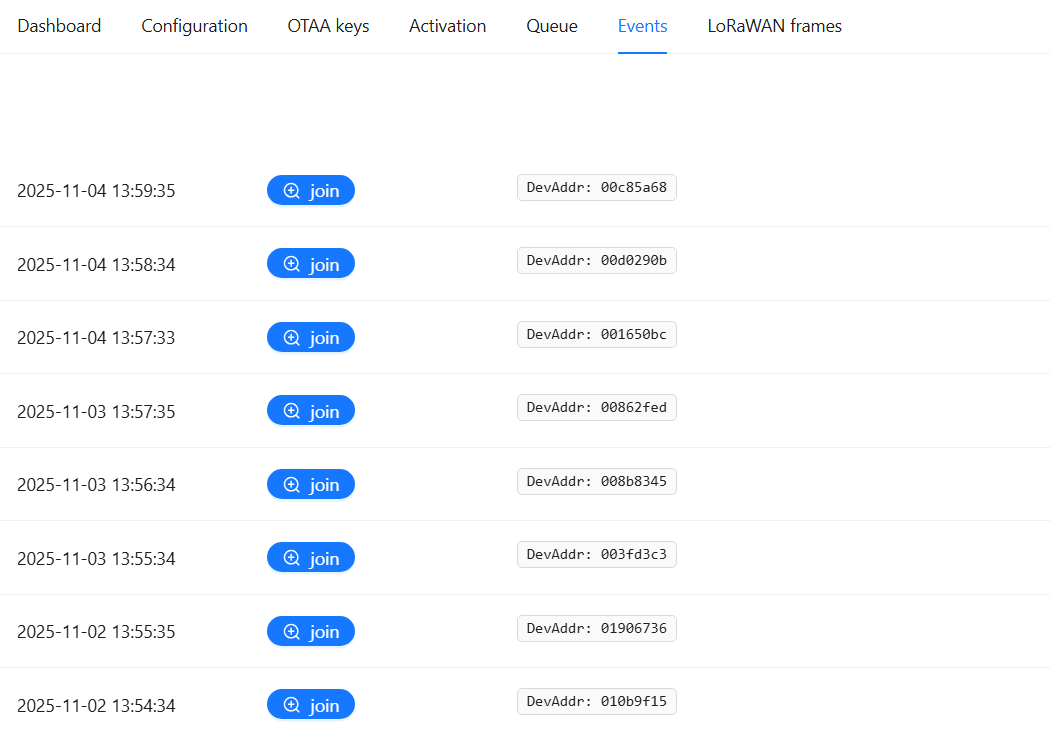
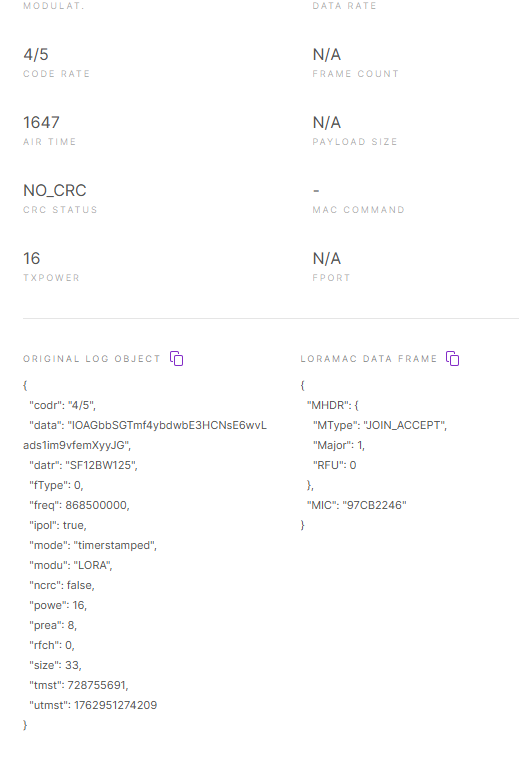
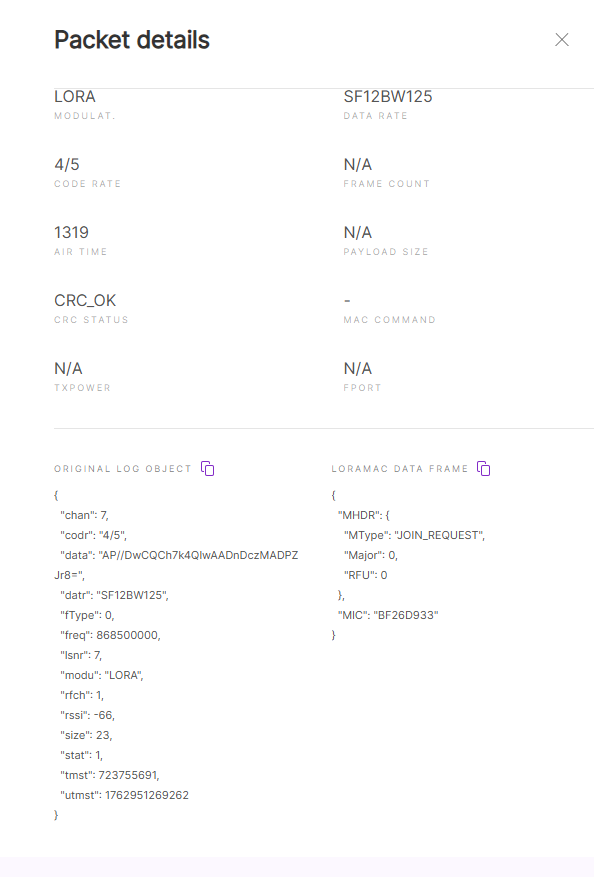
I have issues with IWM-LR5 device, it is not sending any data. Can somebody help me with it? any hint why it doesn't connect I tried and forced a joint on the device, and it just sends a join-request and a join-accept and no data. I use rakwireless rak7268c with ChirpStack v4, packet forwareding.

image.png
image.png
image.png
image.png

image.png
image.png
image.png
image.png

2 Answers

With the provided information, it looks like the gateway did accept the downlink for transmission, given there is a JoinAccept message. It is hard to provide you with more help. Possible scenarios that I can think of:

  • The gateway accepted the downlink, but was unable to transmit it (check the gateway logs)
  • The gateway did send the join-accept, but it was not received by the device (antenna issue?)
  • The gateway did send the join-accept, but the device was (for whatever reason) unable to handle it (firmware issue?)
  • The device was activated, but for some reason is constantly resetting (firmware issue?)

Things you could try:

  • Test with a different device
  • Use a spectrum scanner to verify if the gateway is sending the join-accept

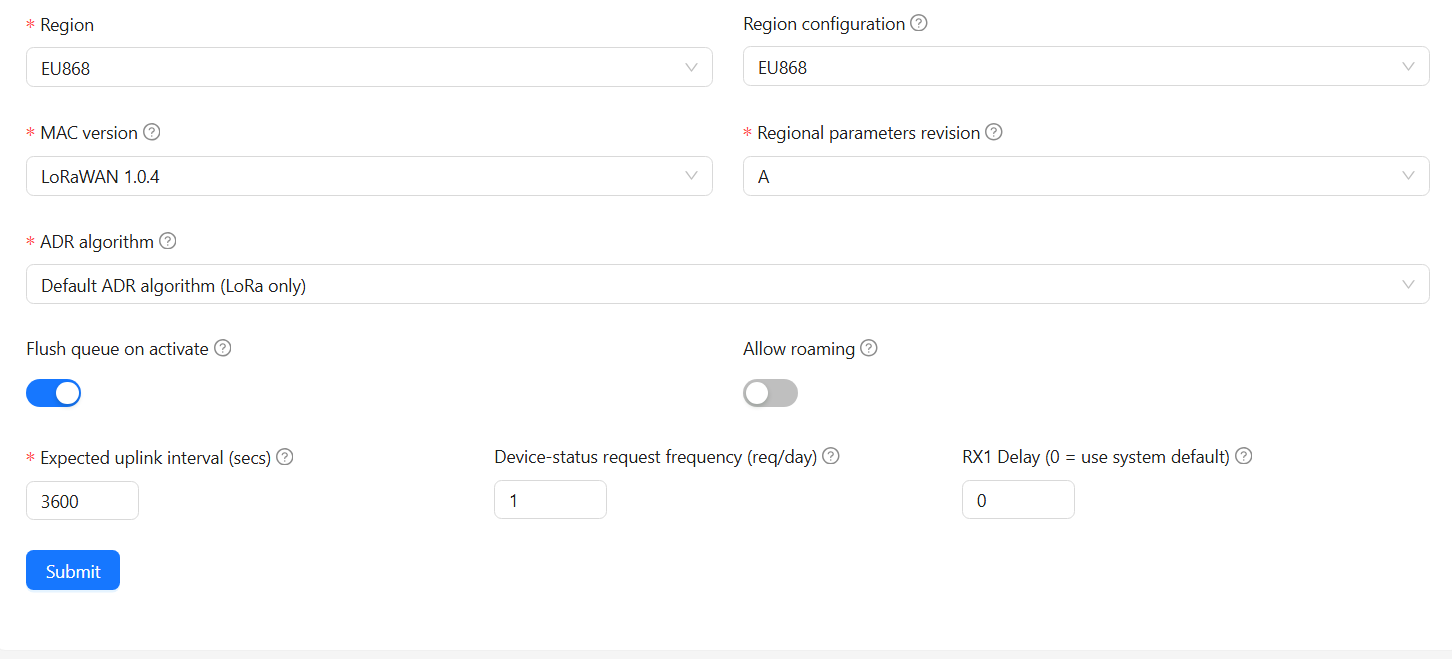
Please note that the rx_window=2 forces to send downlinks using RX2 only. If you revert that change, then ChirpStack will immediately use RX1 and failing that RX2. If your devices do not work after reverting this change, then I assume the issue is not related to rx_window configuration.

The signal is good there, I doubt it's an antenna issue as it's one device is 3 meters from the gateway and acts the same as the others. But before they worked, I just changed the settings in ChirpStack to
# RX window (Class-A).
#
# Set this to:
# 0: RX1 / RX2
# 1: RX1 only
# 2: RX2 only
rx_window=2

like that, and after that, they disconnected, and after 3 months can't connect anymore. I revert it, and no effect. I use docker version of Chirpstack.

How can I completely remove the info of the existing device, because when you delete and re-add that device, there is all the info of it.

LORAWAN PARAMETERS
Transmission (On/Off): Active
OTAA/ABP: OTAA
Region: EU868
DevEUI: cc-0d-e7-00-00-30-02-cb
AppEUI: e4-1e-0a-90-00-0f-ff-ff
AppKey: ce-24-e4-93-4d-0a-7c-47-8b-b3-38-40-41-cb-e4-f3
DevAddr: 00-00-00-00
NwkSKey: 00-00-00-00-00-00-00-00-00-00-00-00-00-00-00-00
AppSKey: 00-00-00-00-00-00-00-00-00-00-00-00-00-00-00-00
Data Rate: 5
Selected packages DR0: 03, F9, F9, F9, F9, F9, F9, F9, F9, F9, F9, F9, 04, F9, F9, F9, F9, F9, F9, F9, F9, F9, F9, F9
Selected packages DR1-DR2: 03, F9, F9, F9, F9, F9, F9, F9, F9, F9, F9, F9, 04, F9, F9, F9, F9, F9, F9, F9, F9, F9, F9, F9
Selected packages DR3-DR4: 03, F9, F9, F9, F9, F9, F9, F9, F9, F9, F9, F9, 04, F9, F9, F9, F9, F9, F9, F9, F9, F9, F9, F9
Selected packages DR5: 03, F9, F9, F9, F9, F9, F9, F9, F9, F9, F9, F9, 04, F9, F9, F9, F9, F9, F9, F9, F9, F9, F9, F9

Here is the log from the device. Could it be that chirpstack does not send back devaddr, NwkSKey, AppSKey info?

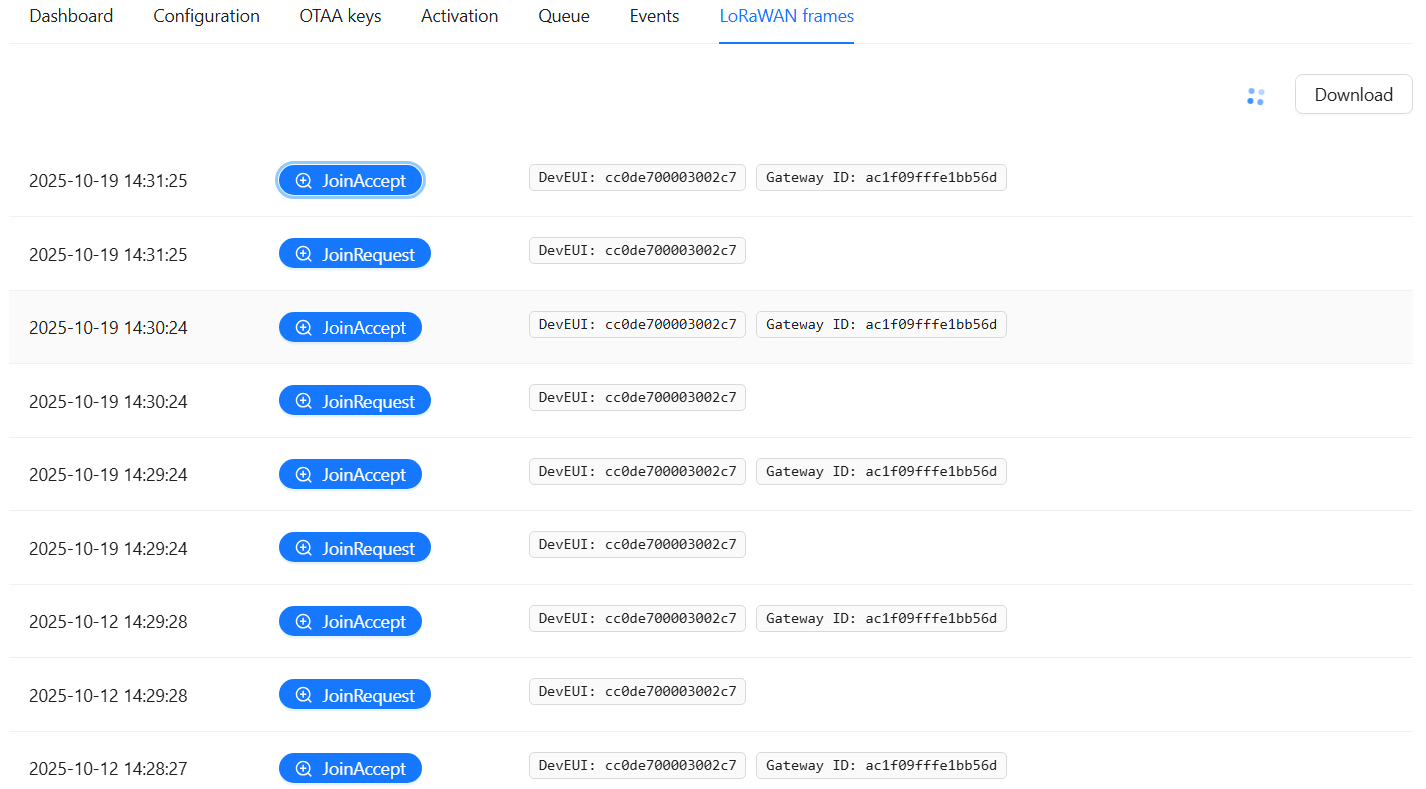
As mentioned before, because there is a JoinAccept message, it seems ChirpStack is sending the downlink to the gateway and the gateway is accepting that downlink. You need to verify if the gateway is actually transmitting it or not. E.g. you could use a spectrum scanner to validate this.

I have changed that device with a different brand new and the new device is working, but not the old one.

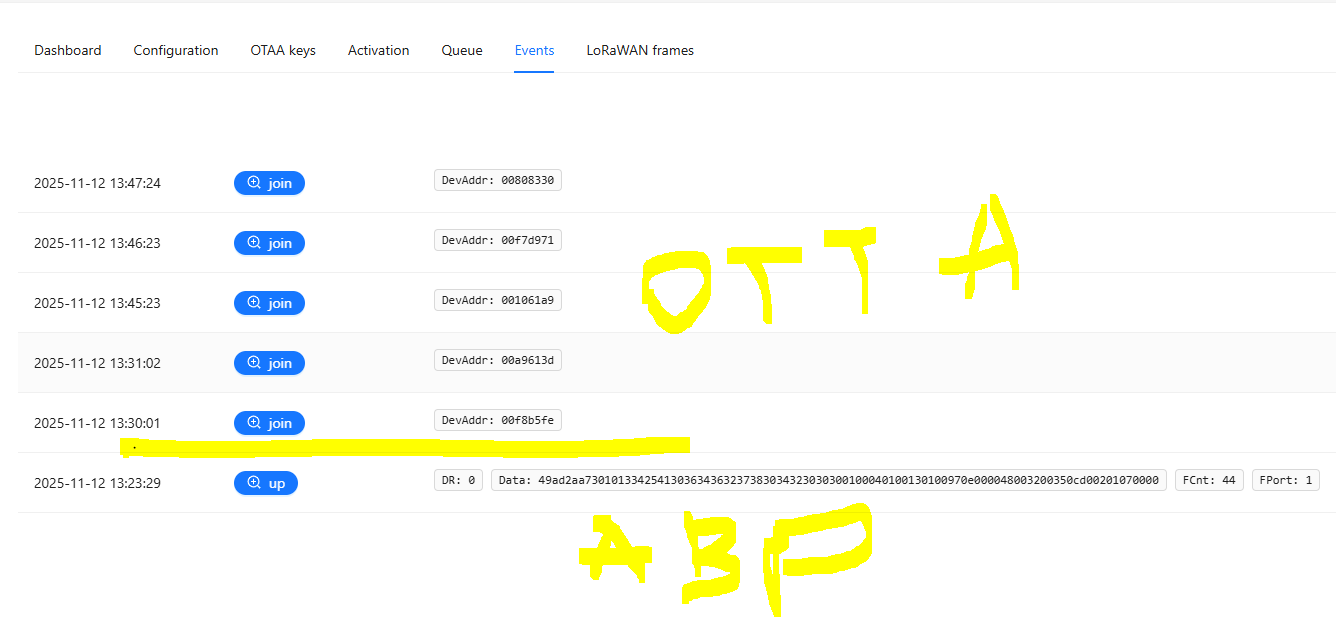
when i changed on device to use abp and added generated keys. it connects and use sf7 while otaa uses sf9 and not connecting why is that? any hint?