Long-range LoRa communication not working after building custom ChirpStack Gateway OS (with USB LTE drivers)

Viewed 57

I have built a custom ChirpStack Gateway OS image with additional USB LTE modem drivers for providing internet connectivity through a USB cellular dongle.

The USB interface comes up correctly, and the gateway can access the internet (e.g., I can ping google.com without any issues). So the LTE part is working fine.

However, after switching to this custom image, I am seeing the following problem:

Issue:

LoRa communication works only at short range (~50 feet or less).
At longer distances, end devices are not receiving Join-Accept and no uplink/downlink communication happens. With the original stock image, long-range performance was normal.

Observations:

The LoRa concentrator is detected and started correctly.

The node and gateway communicate properly at close range.

When I increase the distance, uplinks do not reach the gateway.

Nothing related to LoRa configuration was intentionally changed; only USB and network drivers were added.

What I want help with:

I’m trying to understand what in the custom build might be affecting LoRa RF performance. Specifically:

Could adding USB/LTE drivers or modifying the kernel cause conflicts with SX1302/SX1301 SPI timing, IRQ handling, or concentrator drivers?

Do I need to enable specific kernel options for stable LoRa concentrator performance?

Is there any known issue where kernel modifications affect radio receive sensitivity?

What logs or debug steps can I follow to identify whether packets are getting lost at the concentrator (baseband) level vs. software level?

Any suggestions, pointers, or troubleshooting steps would be very helpful.

Thanks!

3 Answers

For the Concentratord part (the part responsible for interacting with the SX130X chip), it is important that the correct gateway model is configured, as this defines the callibration table (the table that maps the radio parameters needed for each TX power).

If that is setup correctly, could it be that the USB dongle is interferring with the LoRa radio signal? Have you tried your custom build but without connecting the USB dongle?

Hi,

Thanks for your response.

Yes, I already tested the custom build without the USB LTE dongle connected.
In this setup, I used WiFi for internet connectivity, but the LoRa range issue still persists. So the problem does not seem to be caused by RF interference from the USB modem.

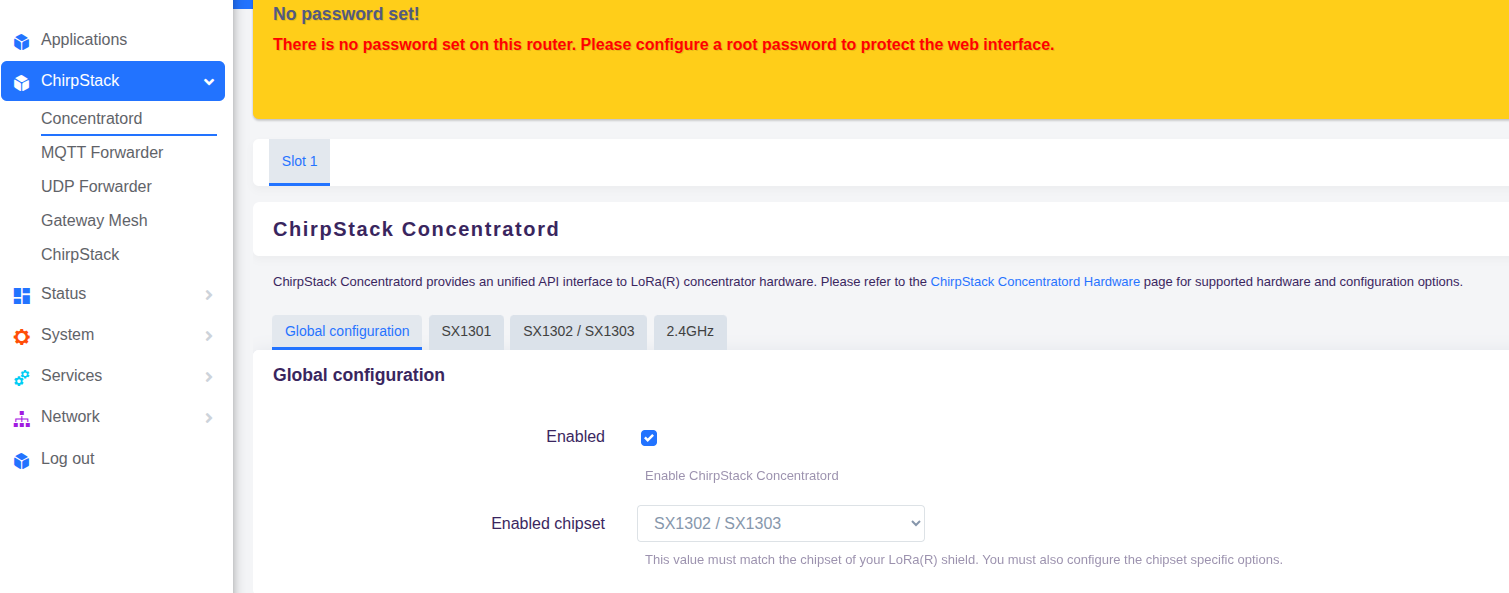
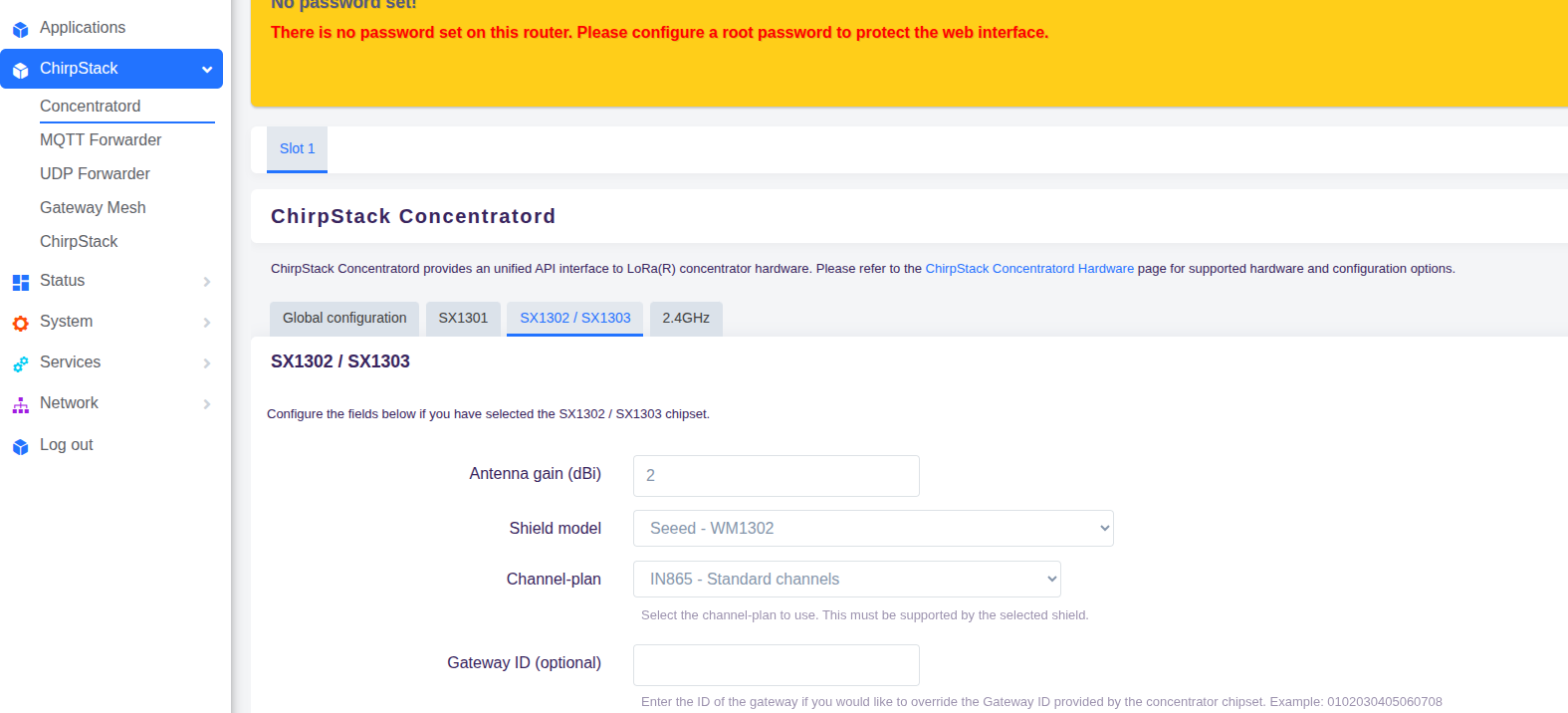
Here are the details of my Concentratord configuration from the UI:

Chipset: SX1302 / SX1303

Shield model: Seeed – WM1302

Channel-plan: IN865 – Standard channels

Antenna gain: 2 dBi

All settings are the same as what I used in the stock image where long-range works correctly.Screenshot from 2025-11-26 16-45-53.png

Screenshot from 2025-11-26 16-46-19.png

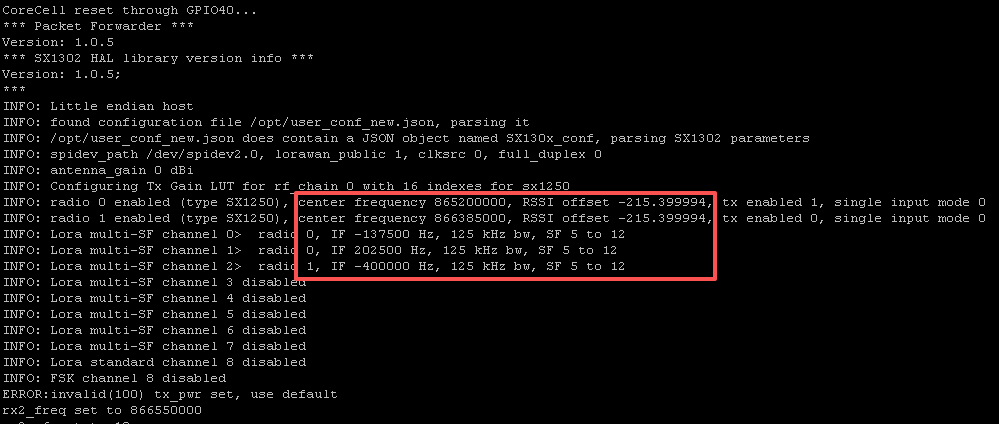
The preliminary assumption is that the gateway's configuration file global_conf.json.sx1250.IN865 did not switch successfully.

This file configures the frequency of the SX130x, and if there is an error, the communication range will be very short.
https://github.com/Lora-net/sx1302_hal/tree/master/packet_forwarder

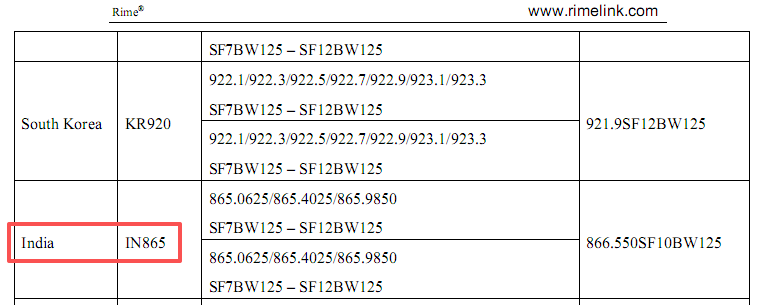
IN865 frequency.png

The three frequency points for IN865 are shown in the figure above, referenced from the 《Rime LoRa Technology White Paper》
http://www.rimelink.com/nd.jsp?fromColId=105&id=44#_np=105_315

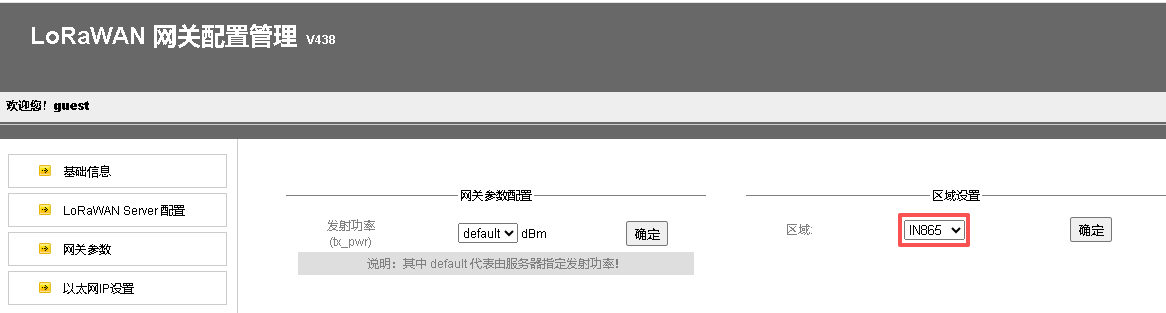
IN865 gateway web.png
After modifying the gateway frequency band to IN865 via the web as shown in the figure above, the startup log shown below will display the SX130x center frequency and offset values.
IN865 gateway log.png